Click Book now at the top of any page. Your booking summary on the right keeps the price and time up to date as you go.
1. Choose a service and your vehicle
Pick the service you'd like, then the size of your vehicle: Sedan / Coupe, SUV / Crossover, Truck or Van / Minivan. Bigger vehicles take longer, so the price and the time it takes depend on the size.
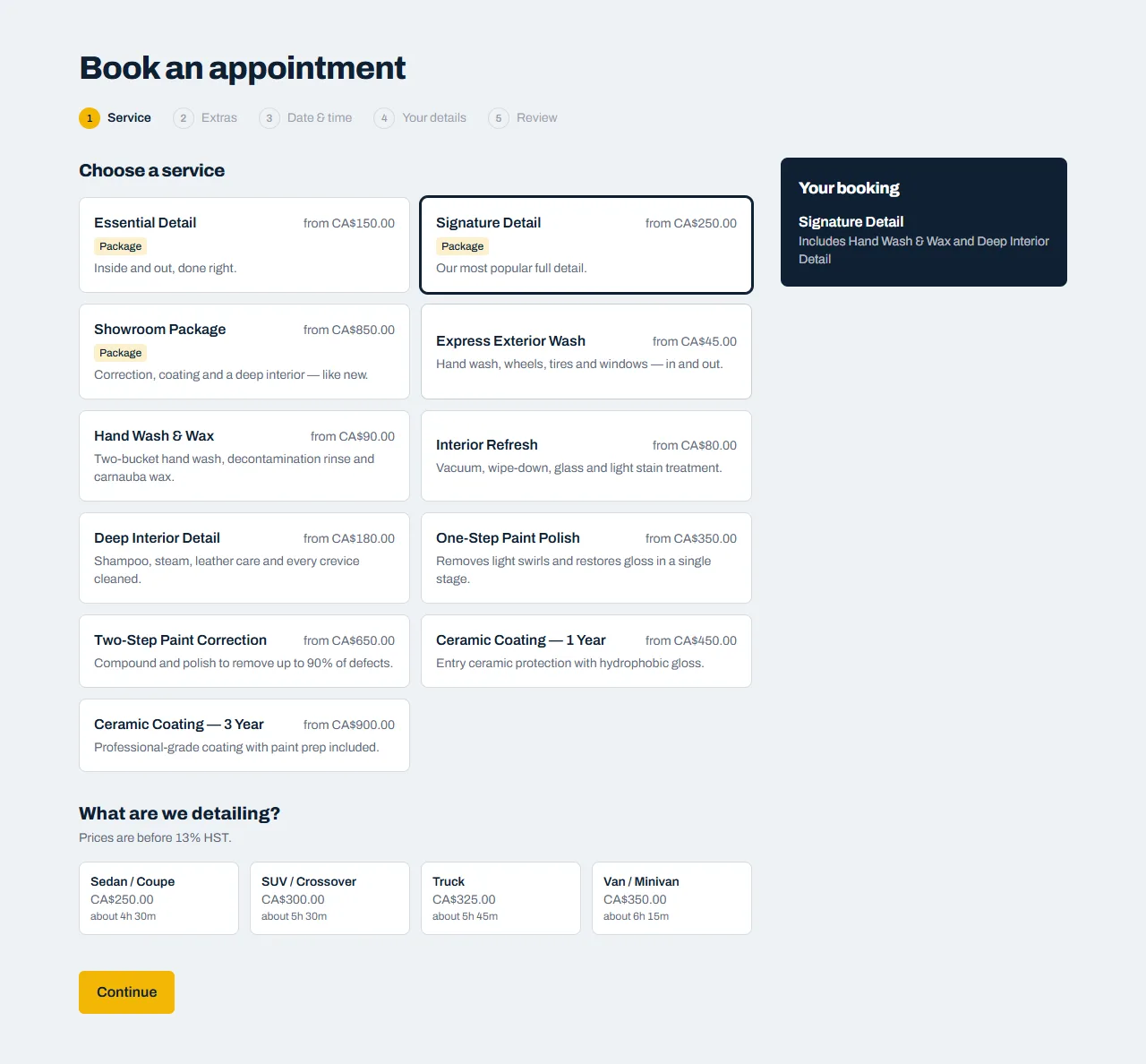
Not sure which service? Each one has its own page under Services with what's included.
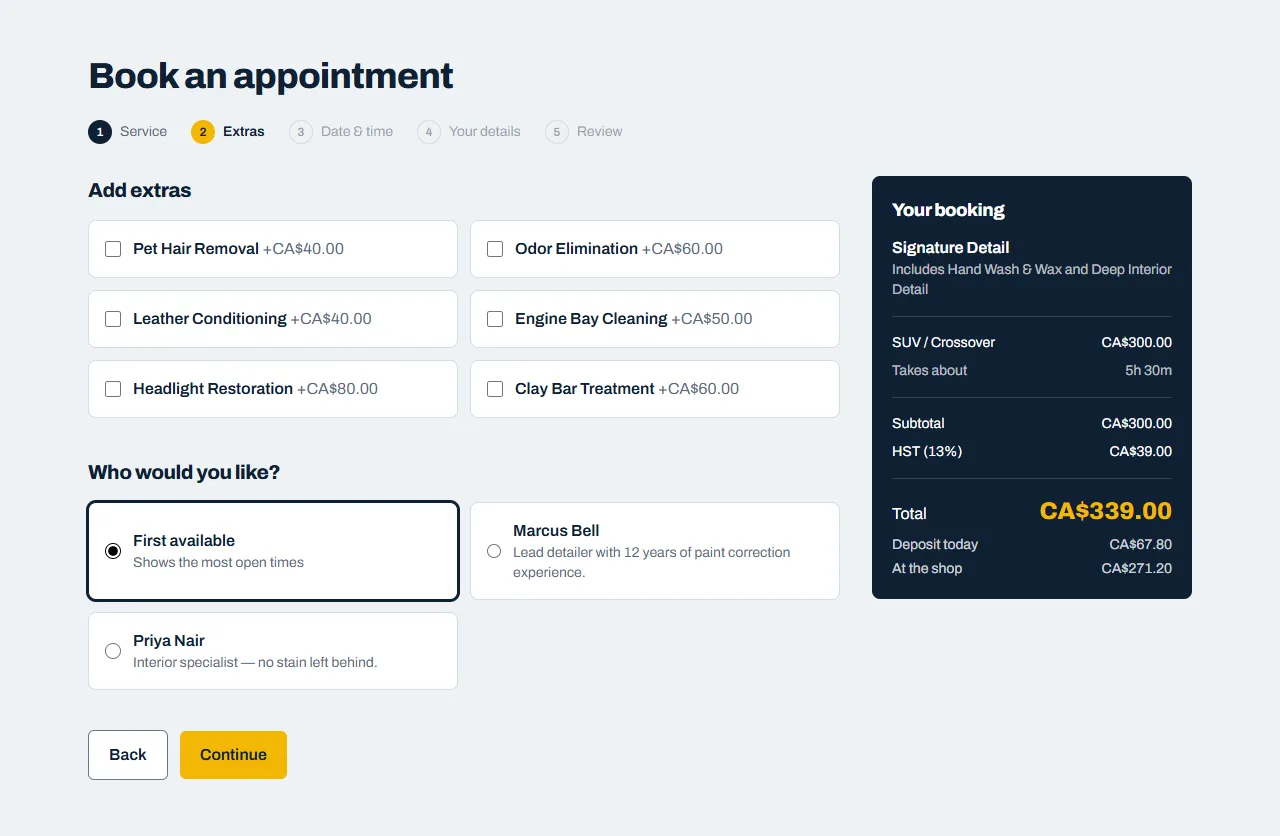
2. Add extras
Tick any extras you'd like, such as pet hair removal or headlight restoration. If you have a favourite detailer you can pick them here. Otherwise leave First available, which shows you the most open times.
3. Pick a day and time
Days with openings can be picked. Crossed-out days are full or we're closed. Choose a day, then a start time. Use Later to see further ahead.
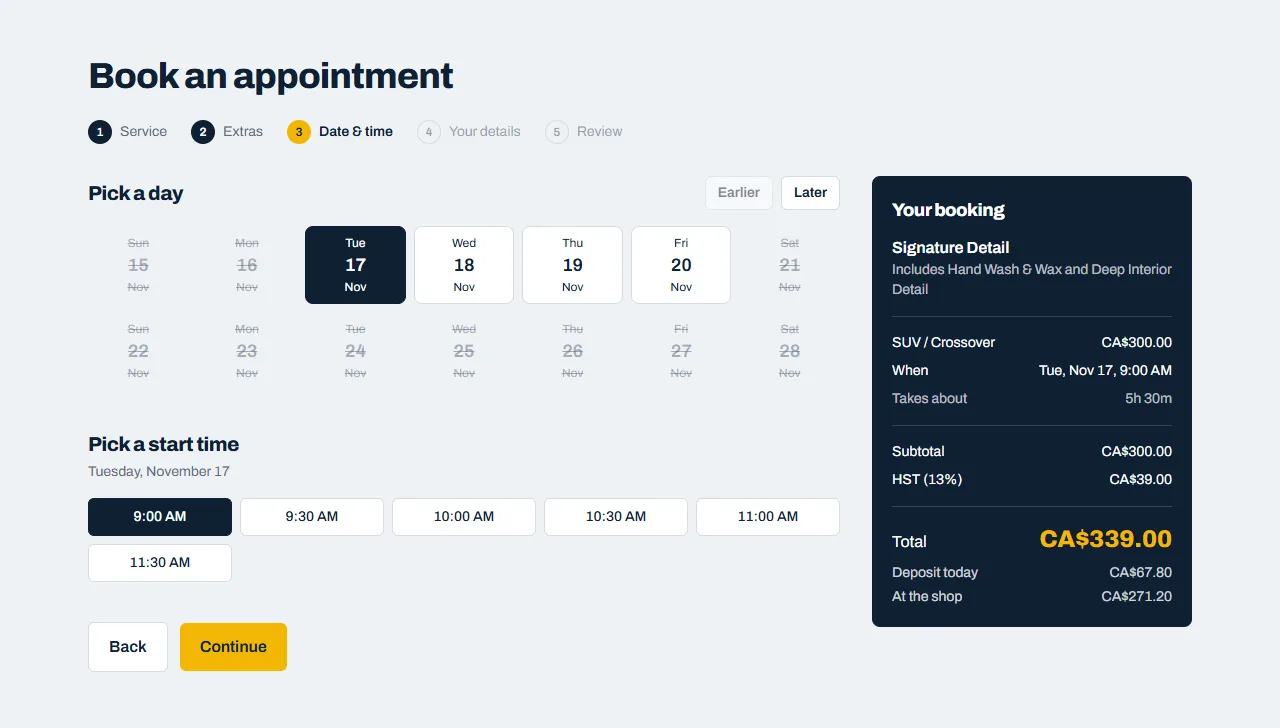
The times shown already allow for the whole job, so your car will be ready by the time shown in your summary.
4. Your details
Tell us your name, email and phone number, and your vehicle's make and model (year and colour are optional). Add anything we should know, such as a child seat to work around or a stain you're worried about.
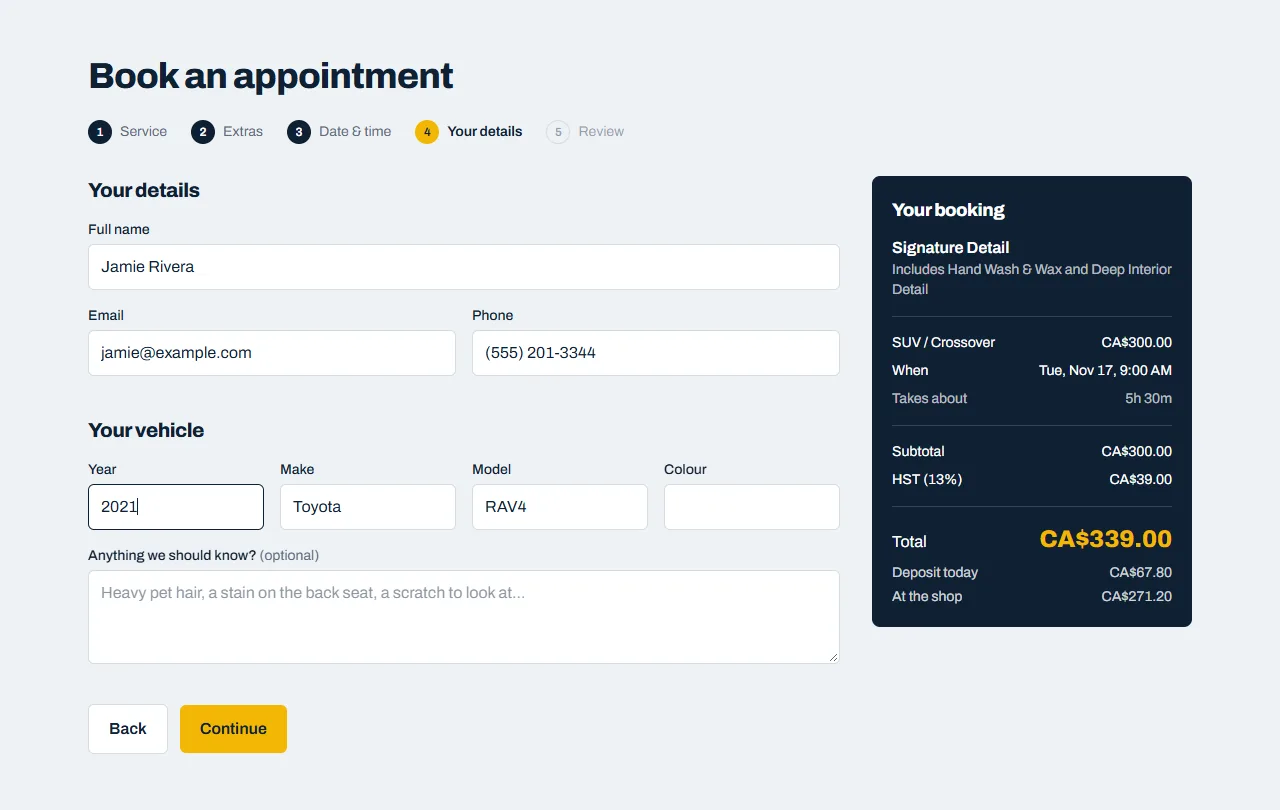
Your confirmation email goes to the address you enter here, so check it carefully.
5. Review and confirm
Check everything, then:
- Have a promo code? Type it under Promo code and click Apply. The total updates straight away.
- Tick the box if you'd like occasional offers by email. It's optional and you can unsubscribe at any time.
- If we take payment online, choose how you'd like to pay (see Paying online).
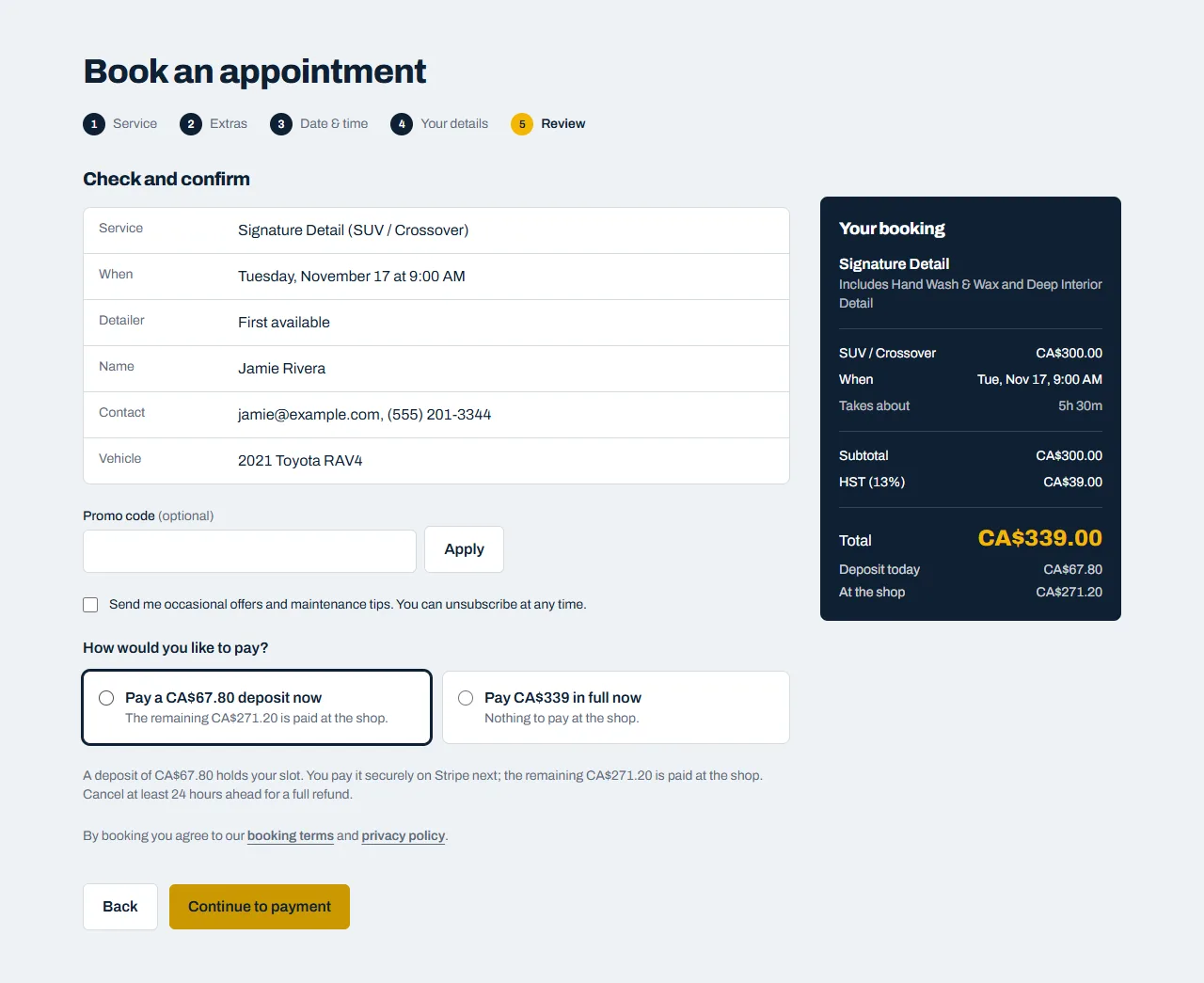
Click Confirm booking, or Continue to payment if a deposit is due.
What happens next
- You'll see your booking straight away, and we email you a confirmation with a calendar file you can add to your phone's calendar.
- The email has a private link to change or cancel your booking.
- We send a reminder about 24 hours before your appointment.