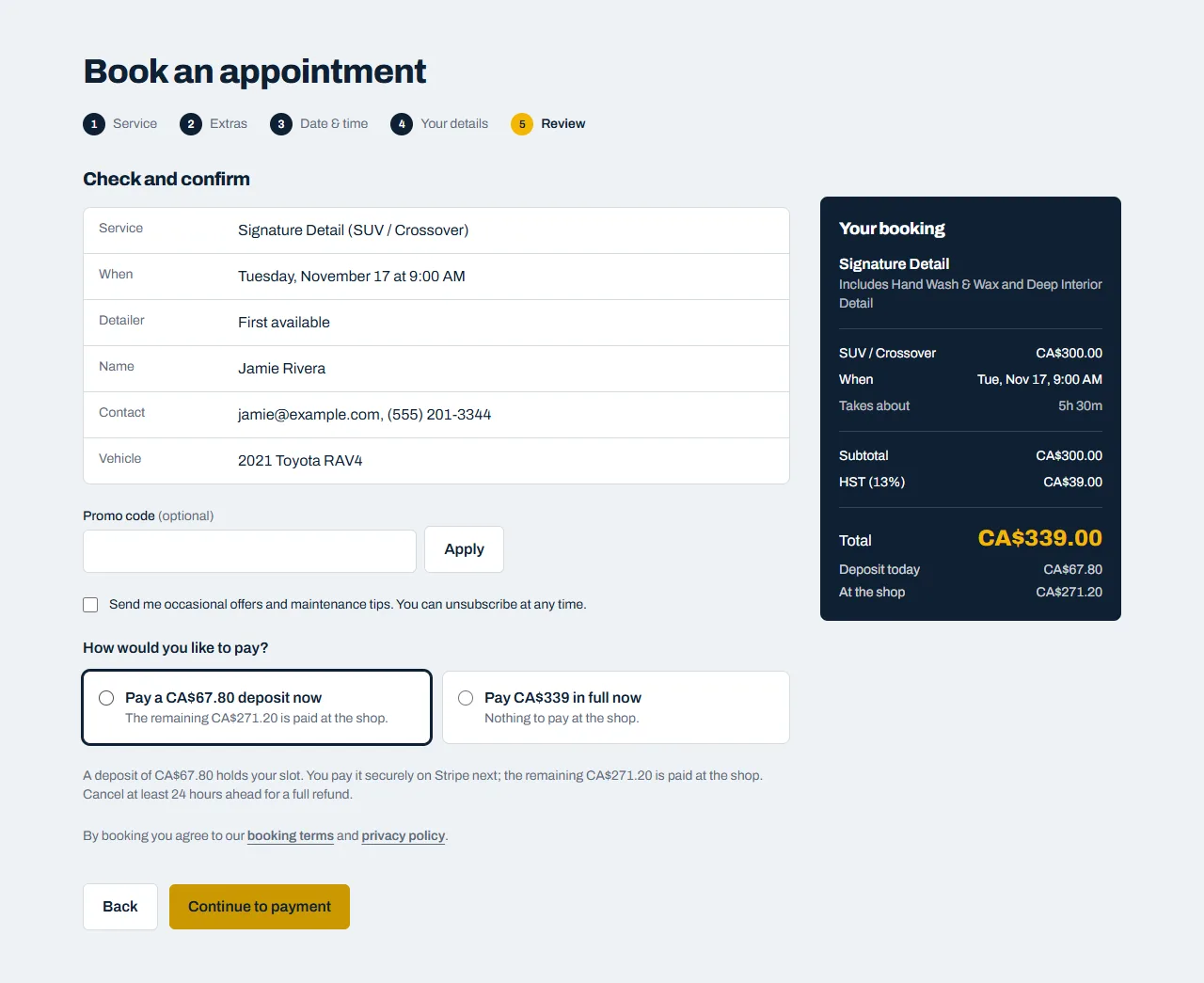
Depending on the service, we may ask for a deposit or let you pay in full when you book. If we offer both, choose at the last step of booking. The deposit is selected to start with.
Paying securely
When you click Continue to payment, you're taken to our secure payment page. Enter your card details, or use Apple Pay or Google Pay where your device offers it, and click Pay.
- Card payments are processed by Stripe. Your card number goes straight to Stripe and is never seen or stored by us.
- If your bank asks you to confirm the payment (for example in your banking app), do that and you'll come back to your booking automatically.
Your slot is held while you pay
Your chosen time is held for you while you pay (usually 30 minutes). Once payment goes through, your booking is confirmed and we email you. If you don't finish paying in time, the time is released so others can book it. Just start a new booking.
Paying the rest
If you paid a deposit, the rest is paid at the shop when you collect your car, by card, cash or e-transfer.
Sometimes we'll email you a payment link, for example for a booking made by phone. It opens the same secure payment page and works for 23 hours.
Refunds
- Cancel online before the cutoff shown in your booking (usually 24 hours before), and anything you paid online is refunded to your card automatically.
- After the cutoff, please call us.
- Refunds usually reach your card within 5–10 business days, depending on your bank.
See our booking terms for the full details.